 6 minute read
How RumbleUp's AI Strategist Builds a Ready-to-Send Texting Project With L2 Voter Data in One Conversation
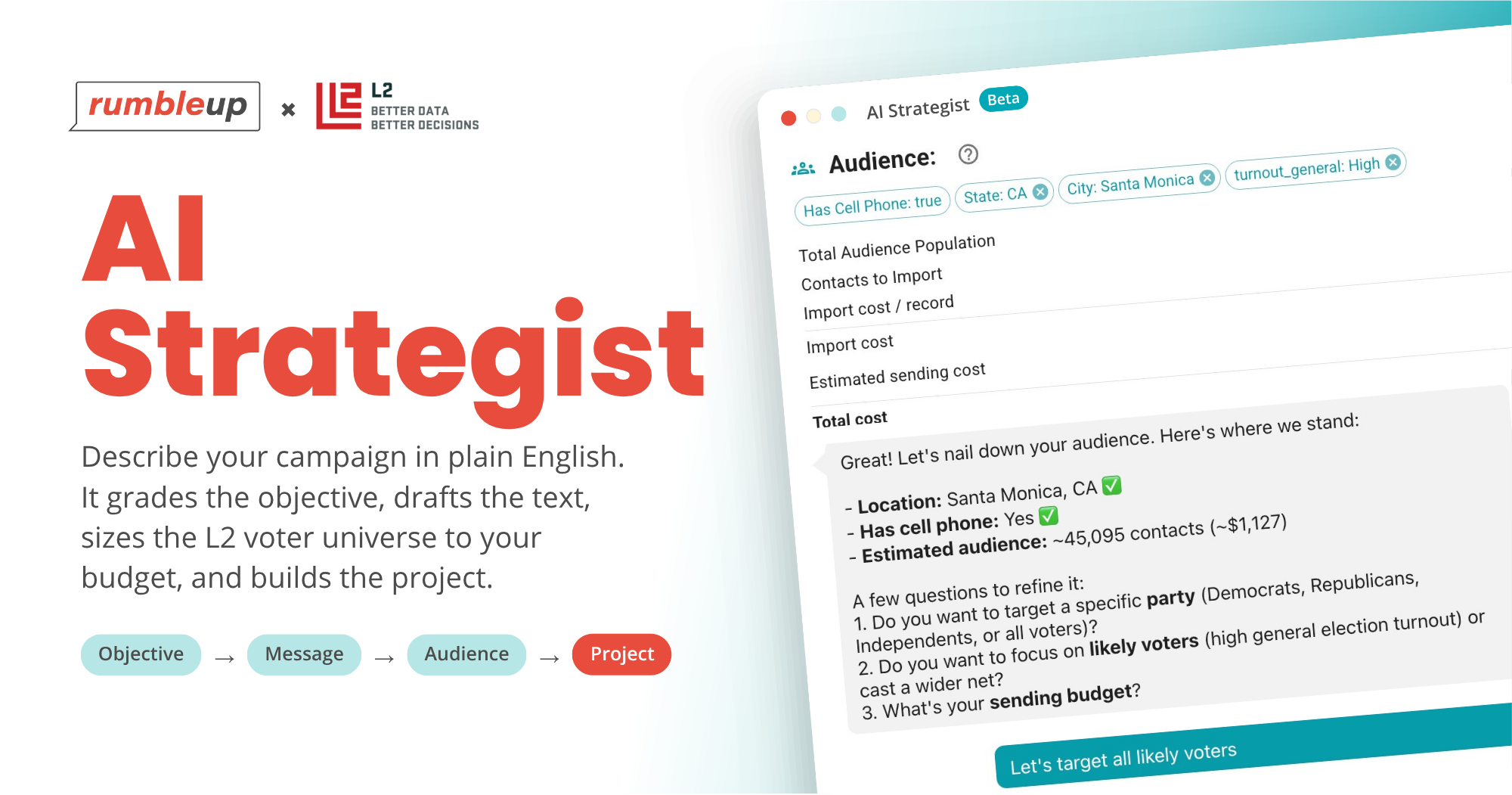
Describe your campaign or cause and AI Strategist sets the objective, drafts the text, scopes an L2 voter universe to your budget, and builds the project.
AI Strategist is a new feature inside your RumbleUp account that builds a texting project for you based on casual conversation prompts. You describe the campaign or cause in a few sentences. It grades the objective and drafts the first message in the tone you pick. Then it sizes a voter audience from L2's voter file to the budget or audience size you name, with the running cost on screen the whole time, and creates the project with that list attached. The tool itself costs nothing. You pay only for the L2 voter data you need, and you confirm the purchase before any charge goes through.
We built AI Strategist for campaigns and organizations tight on time or human resources. It is in beta now, and your RumbleUp rep can turn it on for your account.
The rest of this piece covers four things.
-
Why so many texting projects stall between account creation and the first send
-
Each of the three steps, including a sample conversation
-
Where L2 voter data enters the conversation, and who is allowed to use it
-
A short list of what to have ready before you turn it on
Why do texting projects stall between sign-up and the first send?
Because three separate jobs stand between a new account and a sent message, and each one is easy to put off.
Registration comes first. Every account files 10DLC registration through The Campaign Registry, and our team handles the paperwork at zero markup. The TCR team still needs time to review it, though, and until they process your application, there is little to do in the portal unless you already have a list loaded. A new account can sit untouched during that stretch, which is a problem if it falls in a busy season (like October for political campaigns and organizations)
Data is the second, and it is the one clients would need to budget a good chunk of unexpected time for in the past. If your target list is not yet sitting in a clean file with cell phone numbers matched, sourcing it has meant a back-and-forth with our team: a call to scope the universe, an order placed with L2, a file loaded into your account, and a confirmation email, all of it competing with every other request of a busy team, made worse in a peak season.
The message is the third job. This one often catches clients by surprise because the message type and structure depend heavily on the intended action or goal. A pollster will thrive with a single-segment SMS, but a team introducing a new candidate may want to opt for an MMS or Video Text to maximize face and name recognition. A team chasing ballots needs to segment their data AND tailor messages for microtargeting across their audience for maximum effectiveness, which means writing multiple text projects. And so on.
AI Strategist collapses those last two jobs into one conversation, all while registration is still pending confirmation.
What is AI Strategist?
AI Strategist is a conversational project builder inside the RumbleUp portal. You start it from the Create menu on your Projects page. It opens by reading what your account already knows about your organization and your campaign, asks for the details it does not have, and walks you through three steps:
-
Set your objective. Describe the campaign, cause, or event, and what you want people to do. AI Strategist grades the objective from Fair to Strong as you add details such as the election date, the candidate, and whether the goal is turnout, volunteer recruitment, pledges, an event, etc.
-
Craft your message. Pick a tone and a sender. AI Strategist drafts the text, shows the segment count and send cost beside it, and appends whatever disclaimer you type in. Add a link if you want one.
-
Filter your audience. Describe the universe in plain English and AI Strategist narrows L2's voter file to match. The record count and the cost update as you refine, and you can cap the audience by number of records or by total dollars.
The final step is one click. Purchase Contacts and Create Project sends an invoice to your account's billing owner (or charges the card on file), and, once payment clears, the records import as a contact group, attach to the new project, and wait for you to choose a sending number, send a test, and go live.
You can also talk instead of type. Voice input works at every step, and the audience description in particular is faster to say than to type.
How does AI Strategist write a text message that fits your objective?
It starts from the objective you just graded, so the draft already knows the campaign, the date, and the ask. Three choices are yours before it writes anything.
-
Your preferred tone (friendly and urgent is a common choice in October)
-
The sender, whether that is the candidate, a volunteer, or a program lead
-
A link, if you want one in the message
The draft comes back with its segment count and per-message cost beside it. When a line spills into a second segment, ask for a trim ("shorten November 3 to Nov 3") and watch the cost drop.
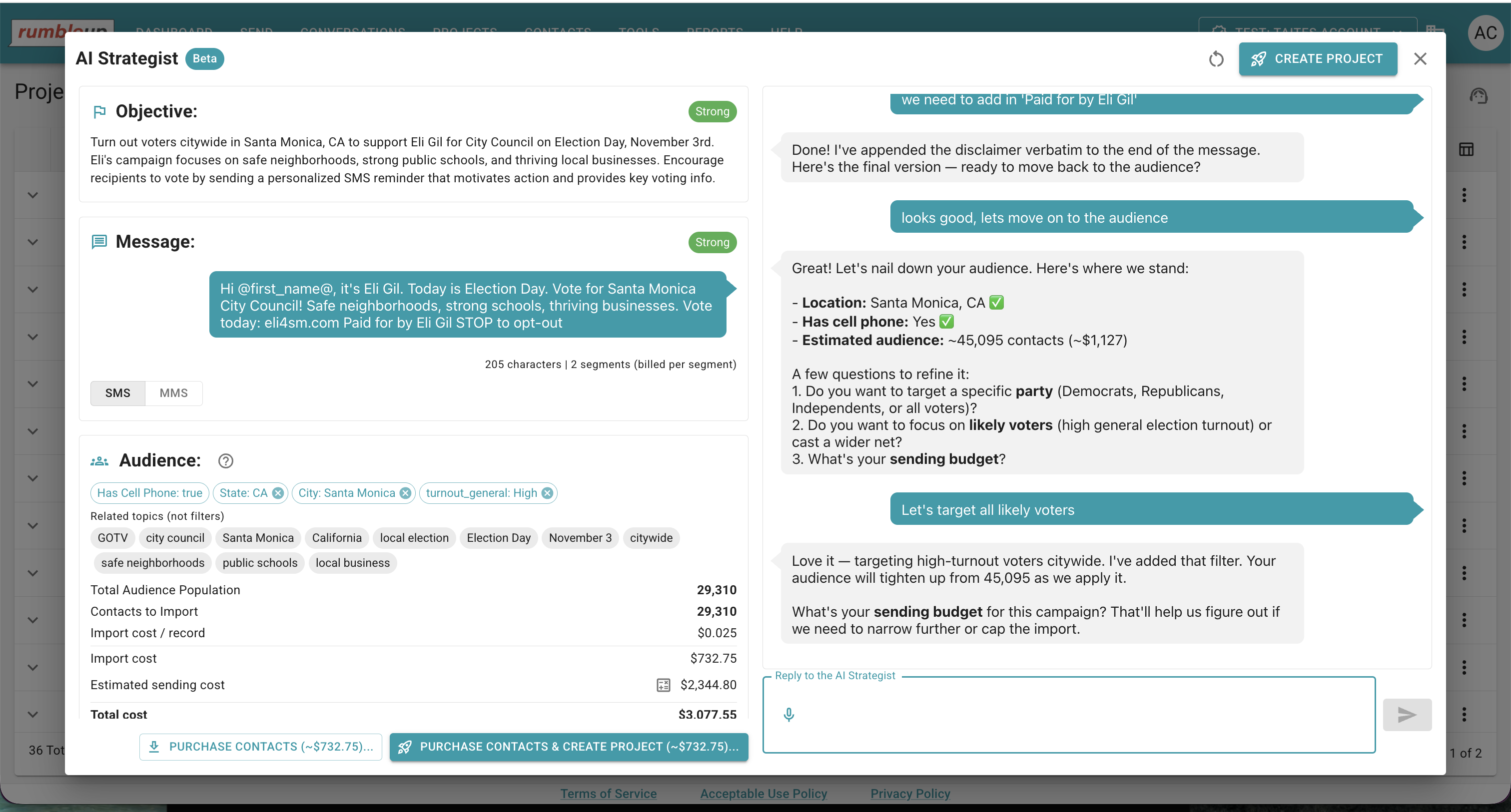
Here is the kind of draft it produces for a fictional city council campaign:

How does AI Strategist scope an audience from L2 voter data?
Describe the voters you want in plain English and AI Strategist counts them against L2's live voter file, then shows you the number. You refine from there, and you price and license the audience without leaving the conversation. Today, the filters it understands include geography (state, city, district), party, likely-voter status, whether a cell phone is on file, vote-by-mail propensity, and household details such as parents in the home. During this beta period, our team is adding more filter recognition to match L2’s robust offerings.
L2 has compiled the national voter file for more than 50 years, standardizing every state's public voter registration records and refreshing phone numbers and address changes on a rolling basis. It is the same data campaigns, consultants, PACs, and pollsters already use to target mail, calls, and doors, and RumbleUp has integrated with it since our Absentee/Early Vote Data Sync launched in 2023.
Until this fall, every L2 order on our side started with a phone call and required someone on our team to manually load a file into your account. AI Strategist now talks to L2 through its API, so the audience count and price show up in the chat, and the records are automatically loaded into your account as soon as payment clears.
This sample conversation shows how a city council universe can be refined from the whole city to a sample that fits the budget. AI Strategist will show the updated count as each filter is applied.
-
Every registered voter in a mid-sized city, which came back at roughly 45,000 records
-
Likely voters only, about 29,000
-
A party filter plus a household filter, leaving a few thousand records with cell phones on file. Each applied filter is listed in the audience panel
-
"Keep the whole project under $500," after which AI Strategist resized the audience so the data and the messages together fit the cap
The records also land as a named contact group in your account, so you can segment, tag, and re-target them in later projects the same way you would a list you uploaded yourself.
Who can use L2 voter data through AI Strategist?

The L2 voter data in AI Strategist is available to political entities and the consultants who work for them, on accounts our team has verified. L2 licenses this data for political use, and AI Strategist follows the same rules our team follows when we place an order on your behalf.
-
Each RumbleUp account completes a personalized onboarding call with a member of our team and 10DLC registration through The Campaign Registry, which confirms your organization type and use case.
-
During beta, your rep switches AI Strategist on for qualified campaigns and consultants.
-
A project AI Strategist builds gets the same opt-out handling and TCPA litigator scrub as any other RumbleUp project, and the disclaimer on the message is the one you wrote.
Who gets the most out of AI Strategist?
The accounts that get the most out of it are the ones with the least time to learn a new tool.
-
Campaigns new to texting, including local and down-ballot candidates, who want their first project built without a learning curve
-
Consultants running several campaigns at once, who need a repeatable way to go from a brief to a priced project in one sitting
-
Advocacy groups and PACs that need a rapid-response universe scoped and loaded the same afternoon
-
Any account mid-registration, since you can build the objective, message, and audience now and send the day the number clears
How do you turn on AI Strategist, and what should you have ready?
Ask your RumbleUp rep to enable AI Strategist on your account, or submit a ticket to our support team available 7 days a week. If you are new to RumbleUp, create your account and submit your 10DLC application first, since the conversation is most useful while that review is pending. Then have four things within reach:
-
Your election date and what you want people to do
-
The name and role of the person the texts come from
-
The link you want in the message, if any
-
A budget cap or a record count for the audience
It is a beta, so our team will tighten budget and record-limit controls and add filters over the next few weeks, and the feedback you send your rep goes straight to the product team.
Bottom Line
Three jobs used to sit between a new texting account and a sent message, and each one could stall a program in peak season. AI Strategist folds them into one parallel process, saving you valuable time and human resources.
Would you like to see your own campaign scoped in one conversation? Book a 30-minute AI Strategist walkthrough with our team and leave with your objective graded, your first message drafted, and your L2 universe priced.
 6 minute read
%2c%20an%20Independent%20Study%20on%20Whether%20Political%20Texting%20Works%2c%20and%20MMS%20Images%20on%20iOS%2027.png)