 4 minute read
Introducing All Major Texting Line Types, Smarter Drip Triggers & Faster Contact Imports
.png)
Run 10DLC, short code and toll-free in one platform, automate follow-up when contacts join a group, import lists faster and work in a cleaner default project UI.
If your texting program depends on external intake, the handoff matters. A supporter donates, opts in or fills out a form and you have a narrow window to confirm, onboard and move them to action. When that intake lands in the wrong place or requires manual sorting, follow-up slows down and your team pays the price in time and consistency.
This release is built for that intake-to-action pipeline, focusing on the exact friction points that slow down high-output campaigns and advocacy programs:
- 📲 Support for all major traffic line types in one platform: 10DLC, short code and toll-free
- 👥 A long-requested workflow upgrade: import contacts directly into an existing group
- 💧 A new Drip Campaign trigger that starts the moment a contact joins a group
- 💻 The Opt-In Dashboard is available on eligible subaccounts, bringing visibility into the account’s toll-free or short code line
- 🖼️ New project UI moves out of beta and becomes the default, built to stay intuitive without losing functionality
- 👀 A look ahead at what is next, including alpha testing for RumbleUp 3.0 in May
📲 One platform for 10DLC, short code and toll-free
RumbleUp now supports all major texting traffic channel types:
- 10DLC
- Short code
- Toll-free
Building around your actual program needs instead of forcing your workflow into whatever lane your texting vendor happens to support, or juggling multiple vendors, matters.
👥 Import contacts directly into an existing group (finally!)
This is one of the most requested contact-management upgrades we have heard from clients over the years, and it removes a common time sink.
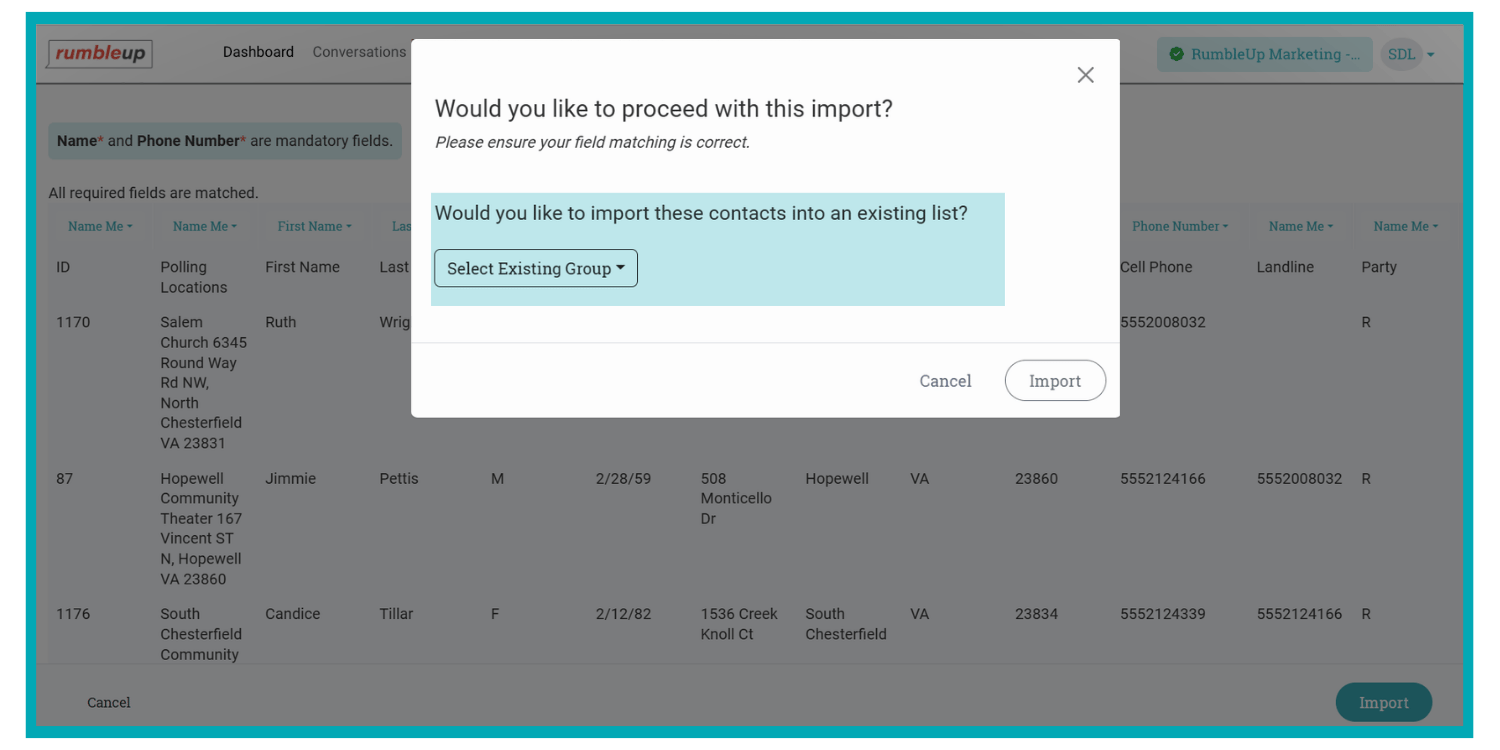
You can now import contacts directly into an existing group, bypassing the extra step of uploading a list and then merging it into a target group via the Segmentation tool.
Why it matters
- Fewer steps between file upload and “ready to text”
- Less room for user error when teams move quickly
- Cleaner workflow for programs that run repeat imports into standing groups
Important note for multi-account orgs
This option applies only to the specific subaccount where the import takes place. A parent account cannot import contacts across multiple subaccounts in a single action.
💧 New Drip Campaign trigger: Join Group
Drip Campaigns help you run consistent follow-up without adding staff load. Until now, Drip Campaigns have centered on how a contact interacts inside the conversation. Now you can also start automation the moment a contact lands in the right bucket.
Primary use cases
This trigger is built for programs that add contacts to groups programmatically or at high volume, including:
- WinRed workflows that add donors or opt-ins into a specific group from external sources like donation pages and opt-in forms. The same functionality will be added via Zapier workflows in early April!
- Any intake flow that pushes contacts into a group as the “handoff point” between acquisition and follow-up
In our next release, we will expose this functionality in our API to support fully automated pipelines.
Also useful for direct imports
If your team imports contacts directly into an existing group, this trigger can power immediate next steps without requiring manual enrollment.
Example workflows you can run now
- Donation follow-up
Contact donates → Zapier adds to “New Donors” group → Drip Campaign sends a thank-you, then a volunteer ask, then an event invite. - Opt-in onboarding
Contact opts in via form → Added to “Opted-In Supporters” group → Drip Campaign delivers a welcome sequence, and routes replies to your team.
💻 Opt-In Dashboard now available for eligible subaccounts
The Opt-In Dashboard (formerly the Switchboard Dashboard) is now accessible inside subaccounts that carry the opt-in account tag.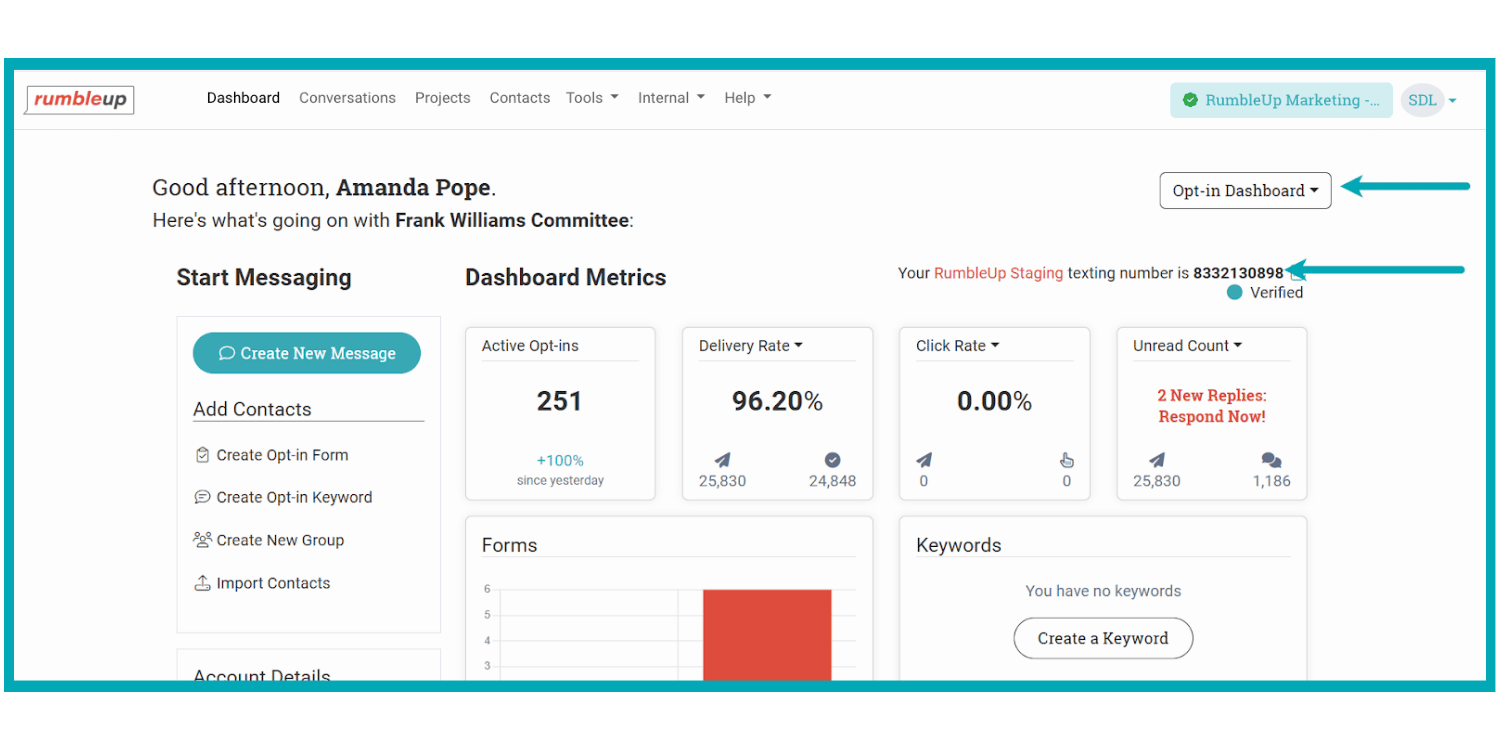 It also now displays the account’s toll-free or short code line, so teams can quickly confirm which line is associated with the opt-in program.
Why it matters
If you manage opt-in activity across multiple programs, subaccounts or teams, you should not need to bounce between workspaces to gain visibility. This change keeps opt-in monitoring closer to the people running the program day to day.
🖼️ Upgraded project UI becomes the default
Over the years, our team has added tons of functionality to our project screen, including many client-requested features. In turn, what was once a highly intuitive interface has now become a cluttered and confusing mess with all those new additions! To fix this, we revamped the project screen last year to restore its intuitive state.
The new project UI is now graduating out of beta and will become the default experience for all accounts.
Results and indicators of success
The new UI keeps the same capabilities but organizes them so you can find what you need when you need it. It is still built to support high-output power users with multi-project workflows, and also results in fewer clicks/actions needed for the single-account user.
Still need the classic view?
If your team needs time to adjust, you can use the reversal toggle to switch back while you transition.
[👀 Coming soon!] A new, game-changing RumbleUp experience
We are building a completely refreshed RumbleUp experience beyond the current project UI improvements. We expect to bring alpha testers on in May.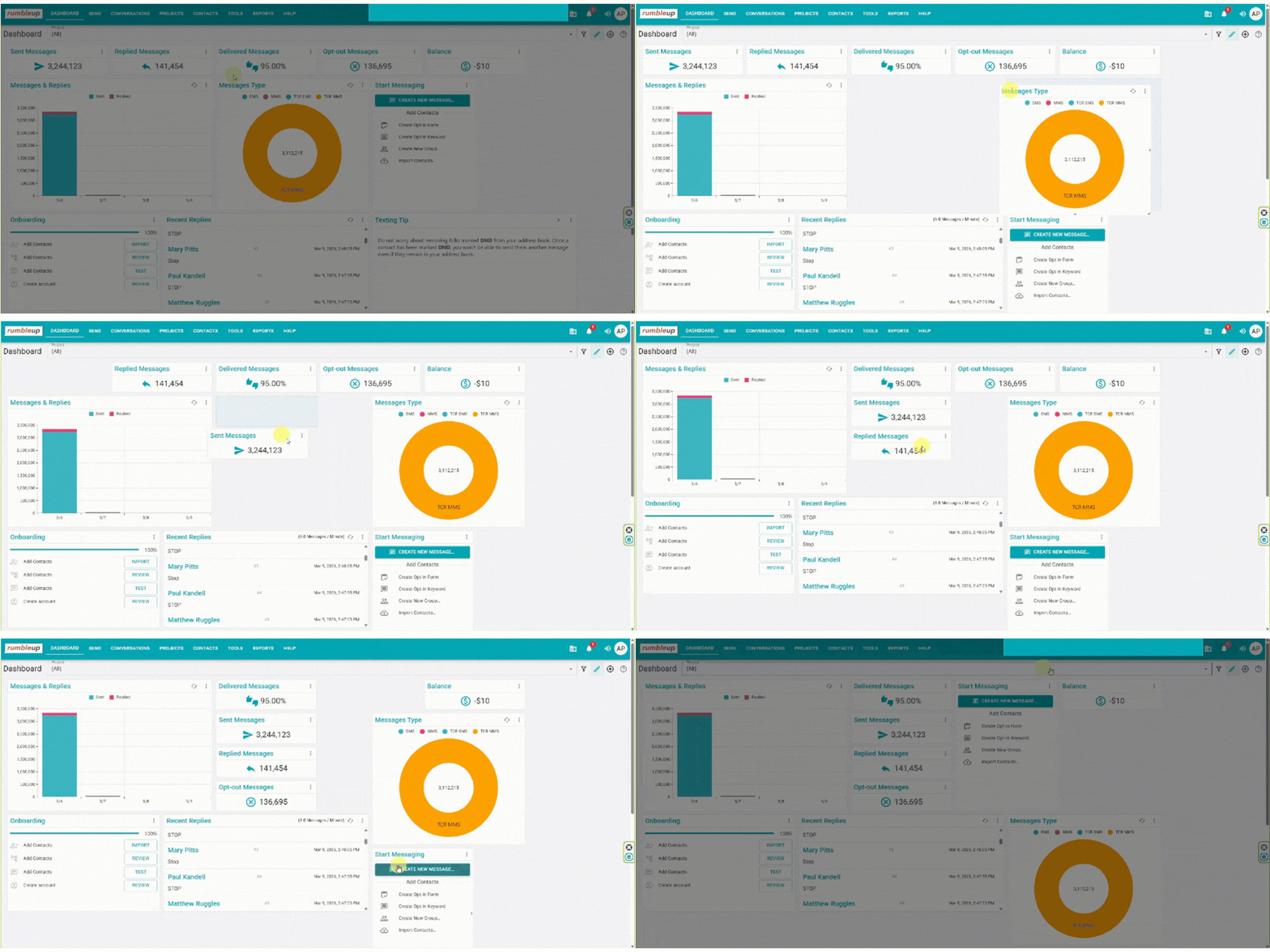
If you want to shape what ships, tell your primary point of contact on our team today. Early input helps us prioritize what matters most for how you run texting.
Bottom line
The hardest part of running texting at scale is not writing messages. It is managing channel types and list movement without creating risk or extra clicks for your team. When those pieces live in different places or require workarounds, you get inconsistent follow-up, fragmented reporting and preventable mistakes.
You need a platform that keeps up with how political and advocacy programs operate now: multiple intake sources, multiple teams, multiple sending lanes and constant pressure to move quickly without losing accuracy. That means fewer workarounds, more automation triggers tied to real program events and infrastructure that supports your line strategy as it evolves.
These updates help you run a tighter program today and lay the foundation for the big things we are building next.
 6 minute read
%2c%20an%20Independent%20Study%20on%20Whether%20Political%20Texting%20Works%2c%20and%20MMS%20Images%20on%20iOS%2027.png)